

Install & Maintain 70mai Cameras for Longevity
The Complete Guide for 70mai Dash Cam Users
A dash cam is an important device that helps drivers feel at ease on every journey, especially cameras from the 70mai brand, which are popular worldwide. They feature outstanding smart technology in terms of quality, clarity, and comprehensive automatic functions. However, to ensure your 70mai camera lasts a long time and maintains maximum performance, proper "installation" and "maintenance" are extremely important.
In this article, we will guide you through all the techniques, from professionally installing your 70mai camera to tips for maintaining it so it works for many years.
This article is intended to describe the details and features of the product. Actual usage performance may vary depending on the environment, external factors, and the usage characteristics of each individual user.
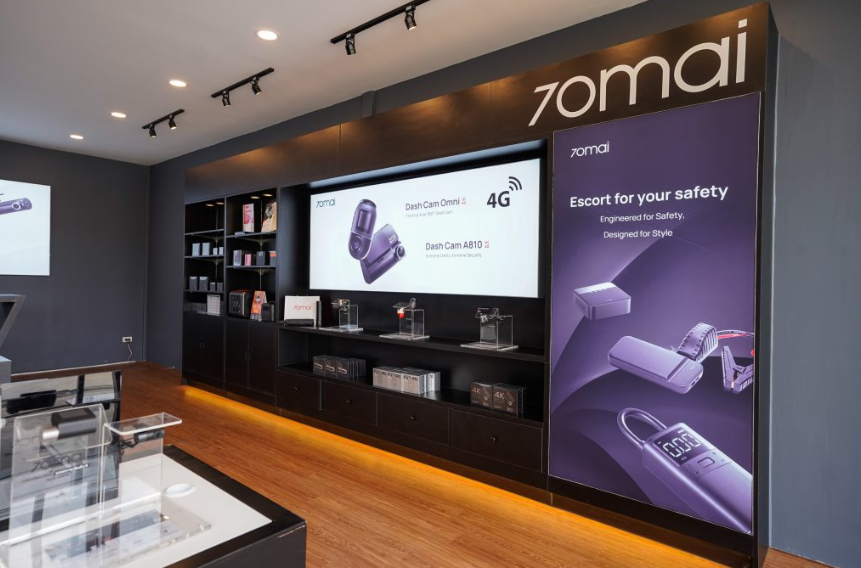
🔧 4 installation centers, with our team of professional technicians, guaranteed to offer the best prices.
Here are 4 70mai installation centers in Bangkok and Chonburi that offer attractive prices and excellent service, making your choice easier: 70mai Store and Service branches in Ramintra, Kanchanaphisek, Tha Phra, and Chonburi. These are official service centers for the 70mai brand, offering comprehensive sales and installation services. They understand standard wiring procedures and provide genuine Thai warranty, ensuring authentic products and after-sales support.
Before using any 70mai camera, whether it's the 70mai Dash Cam A800S, 70mai Dash Cam Pro Plus+, or 70mai Omni 360°, correct installation is crucial for clear images, complete viewing angles, and to avoid obstructing your driving.
Choose an appropriate installation location
- Install it in the upper center of the front windshield behind the rearview mirror for a wide and balanced view.
- Avoid areas that obstruct the driver's vision.
- If it's a model with a rear camera, install it in the center of the rear windshield as well to capture clear footage both front and back.
Clean the surface before installation
Before sticking or suction-cupping the camera to the glass, use a microfiber cloth to clean it thoroughly from dust, oil stains, or moisture. These can cause the camera to detach easily or vibrate while driving.
Hide the cables neatly
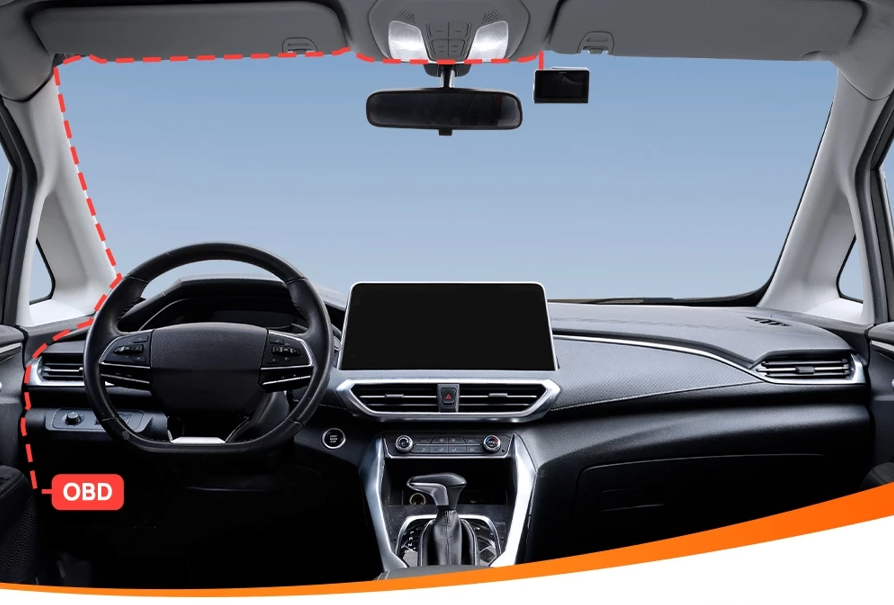
Use a plastic tool to pry open the edge of the headliner or car console to hide the cables in the various channels. This will make it look neat and safe, and not obstruct your view.
If you want to record while parked (Parking Surveillance), you should connect the 70mai Hardwire Kit so that the camera can draw power directly from the battery.
Set up the camera correctly for the first time
- Connect the camera to the 70mai app via Wi-Fi to adjust resolution, recording loop, and enable ADAS (Advanced Driver Assistance System) features.
- Set the correct date and time so that the recorded files have complete information when an incident occurs.
- Check that the camera records all desired angles before you start driving.
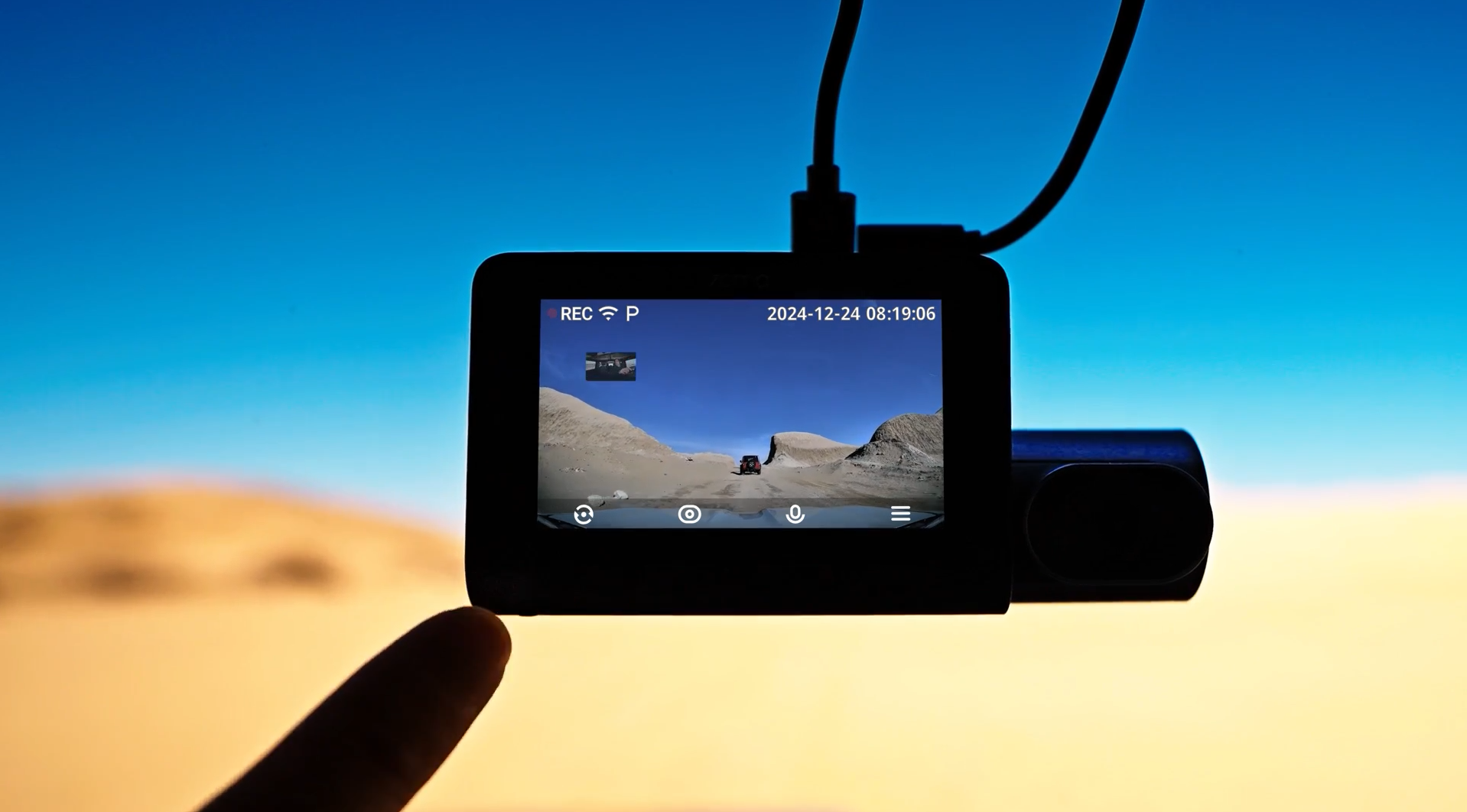
Tips for maintaining your 70mai camera for long-term use
Even though 70mai cameras are made with high-quality materials and lenses, if they are used without proper care, their performance may decrease, or the image may become blurry. Therefore, proper maintenance is something every user should know.
1. Clean the lens regularly
Gently wipe the lens with a microfiber cloth to prevent dust and oil stains that may accumulate from car exhaust or rain. Do not use tissue paper or rough paper, as it may scratch the lens.
2. Check the memory card regularly
The memory card is the heart of recording. If used for a long time without management, files may become corrupted or not fully recorded.
- It is recommended to format the memory card every 1-2 months.
- Use a high-speed Class 10 or U3 card that supports high-resolution video recording.
3. Avoid prolonged direct exposure to strong sunlight
Even though 70mai cameras are heat resistant, parking a car in direct sunlight for an extended period without a sunshade can cause the camera body and battery to degrade faster. You should use a car sunshade or remove the camera if not in use for a long time.
4. Update firmware regularly
70mai regularly updates its software to add new functions and fix bugs. Simply open the 70mai app and connect to the camera's Wi-Fi; the system will automatically notify you to update. Updating helps the camera always operate at its full potential.
5. Check the camera angle after washing the car
After washing the car or moving the camera, the camera angle may shift. You should check the image from the app to ensure the camera is still recording in the correct position.
⚡️ Optimize your 70mai camera with genuine accessories
For optimal performance of your 70mai dash cam, only genuine accessories from the brand should be used, such as:
- 70mai Hardwire Kit: For parking mode, prevents battery drain.
A power cable that connects directly to the car's fuse box, allowing the 70mai dash cam to operate 24/7, including when parked. It prevents car battery drain and records events when impacts occur while parked.
- 70mai Rear Camera: Increases safety both front and rear.
A rear dash cam model from the 70mai brand, designed to be installed at the rear of the vehicle. It records video specifically from the rear to enhance visibility and capture events.
- Lens Protector Film: Helps reduce water stains and prevents scratches.
A transparent film used to cover the front lens of the 70mai dash cam to protect against scratches, dust, or other damage that may occur to the lens. The primary purpose of this film is to keep the screen or lens clear and to extend the lifespan of the dash cam. It protects the front lens of the dash cam from scratches, dust, and various stains.
- Genuine 70mai Charging Cable: Provides stable power, safe for the device.
A charging cable manufactured and distributed by the 70mai brand, a company that produces smart automotive devices. Genuine charging cables typically feature the 70mai logo and meet standard manufacturing quality. For 70mai charging cables specifically, to verify authenticity, consider the source of purchase, clear packaging with complete product information, and the quality of the charging cable itself.
Genuine 70mai accessories undergo standard testing, ensuring that the camera performs at its full potential without overheating or interference.
💡 Summary: Use your 70mai dash cam like a pro.
Installing and maintaining a 70mai camera is not complicated, but it requires attention to small details. If you follow the steps above, your camera will last a long time, provide clear images, be safe, and be ready to record every event on the road professionally.
The 70mai dash cam not only helps record various events but also serves as a smart assistant that increases confidence for all drivers on every journey.
Note: The images and details shown are for advertising and service recommendation purposes only. Actual results may vary depending on the environment, specific factors of each car model, installation, and individual usage.


